Contact us+33 4 37 45 07 66Trade area

New at SCAP

MACS, your smartphone becomes the badge

A cloud platform that turns your users' phones into mobile credentials, to open doors, cabinets and lockers, with or without a network, without heavy wiring.

Request a demonstration   Watch the video

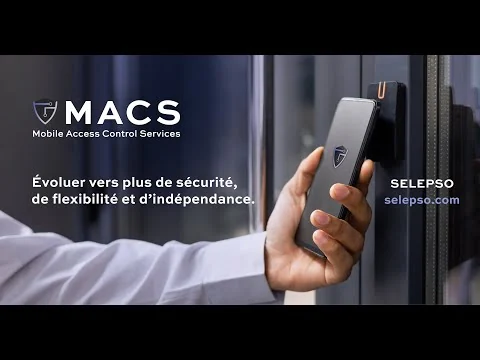
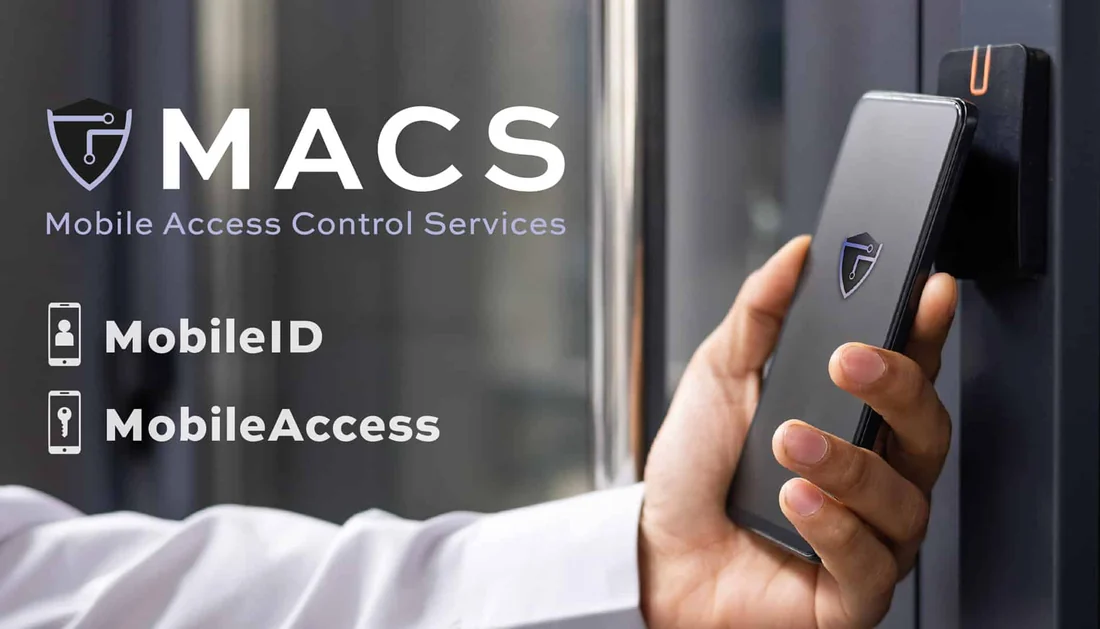
A smartphone presented to a MACS badge reader: MobileID and MobileAccess services

Three reasons to go mobile

MACS (Mobile Access Control Services) adds to your existing installations or works on its own, on both iOS and Android.

A single app

The same app is used for mobile identification and access control. It supports NFC and Bluetooth Low Energy, detects the type of reader by itself, and works without going through the phone makers' paid wallets.

An open system

Multi-customer, multi-site and multi-credential management. Interfacing with your software via API or CSV files, and an SDK to build MACS into an existing mobile app.

End-to-end security

Exchanges encrypted by a patented token. Biometric unlocking of the smartphone confirms the user's identity, and a credential can be revoked at any time.

  • 100 000+users on the platform
  • 2 M+door openings per year
  • 2016platform created, patented technology
  • 15+compatible lock and reader manufacturers

Two services that can be combined

Choose one or the other, or both on the same platform.

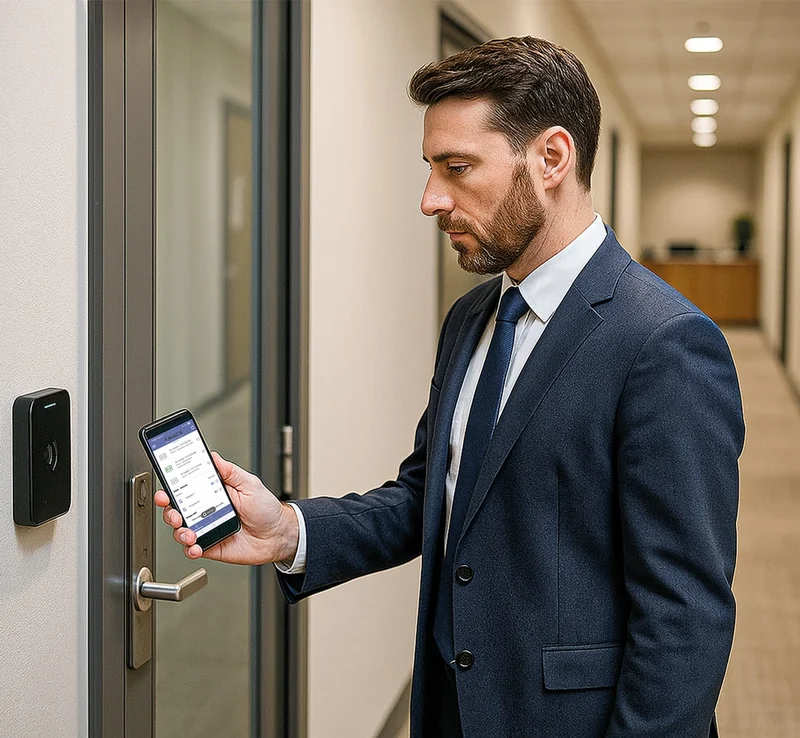
An employee presents a smartphone to a badge reader next to a door

MobileID

Mobile identification, for the systems you already have.

The smartphone replaces or complements the RFID badge. The right credential is transmitted according to the reader's application: access control, time management, catering, secure printing, electric vehicle charging, machines, forklift trucks, dispensing cabinets.

  • Several credentials for the same user
  • Fully configurable credential size
  • Works alongside badges or in place of them
  • The existing reader and software stay in place
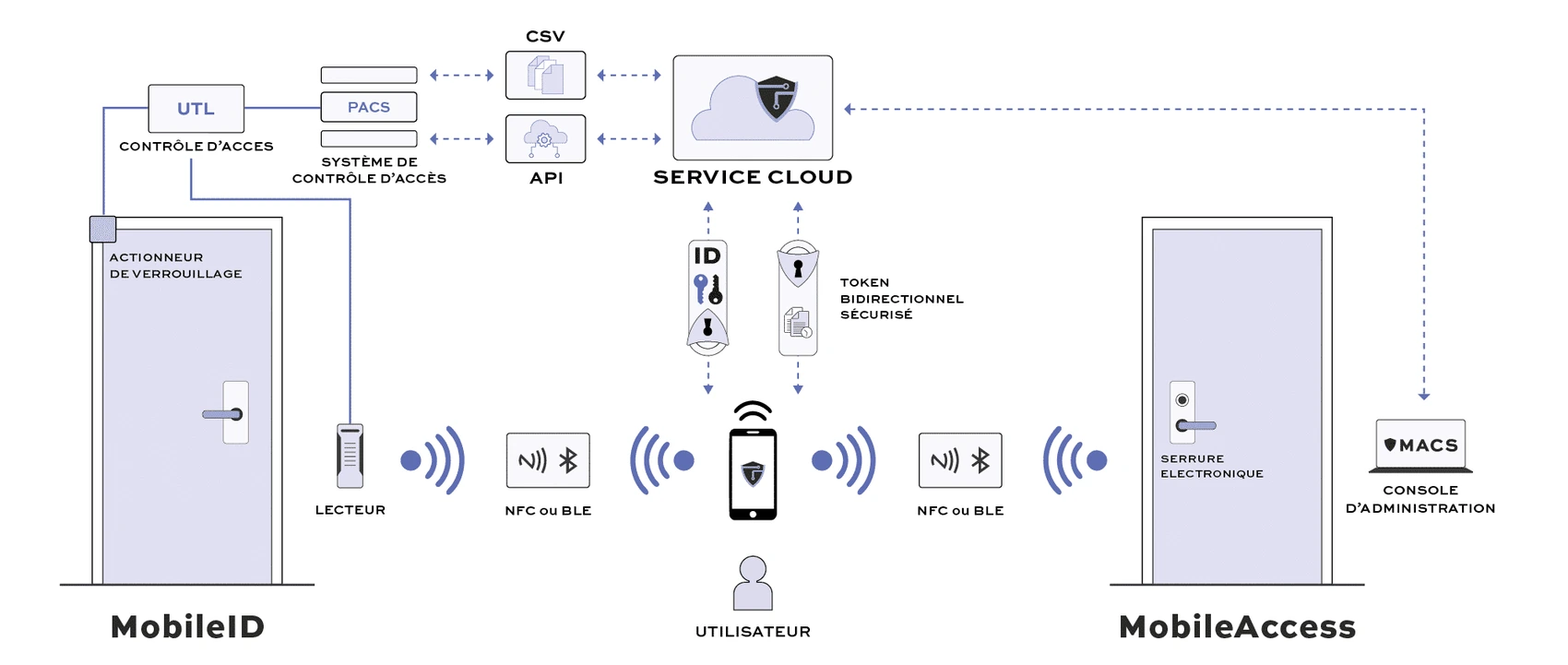
View the MobileID diagram (new window)

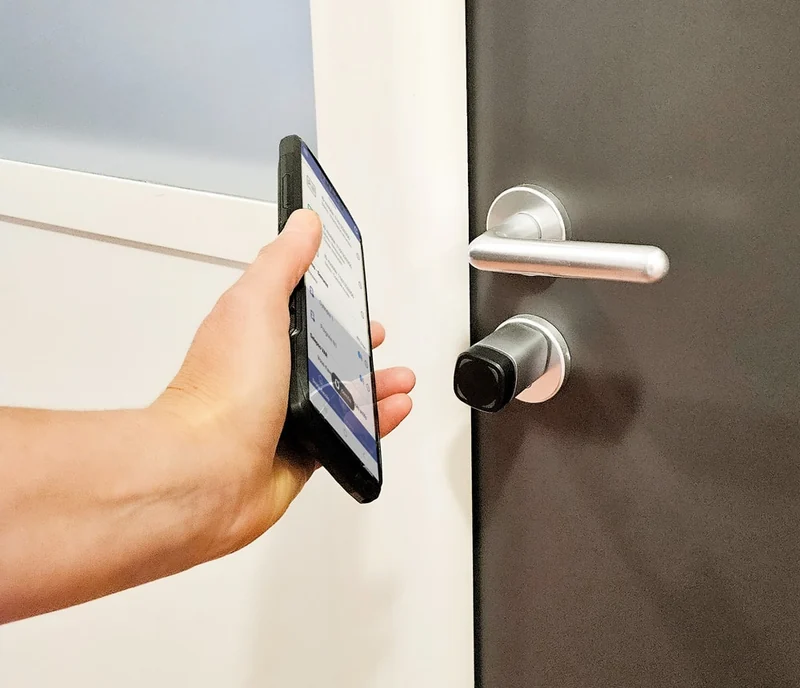
A hand holds a smartphone near an electronic door handle

MobileAccess

Standalone access control, driven from the smartphone.

Access rights travel in the phone. Locks and controllers do not need to be connected to a data bus or a central server: the infrastructure is lighter and the deployment cost goes down.

  • High availability, even on access points isolated from the network
  • Access history uploaded automatically
  • Multi-brand hardware: locks, controllers, readers
  • Scalable door by door, as your needs grow

View the MobileAccess diagram (new window)

MobileID: two versions and two types of credential

Universal MobileID

It works like an RFID card: the user holds the phone near the reader, with no extra step or configuration. Convenient for a large site, where each person receives a mobile credential instead of a card.

Per-door MobileID

It restricts the user to certain doors and shows them in the app. Useful for delivery drivers and logistics teams, who can clearly see the access points they may use.

Reusable or single-issue

The reusable credential is renewed every year and passes from one user to another. The single-issue credential is permanent and attached to a single phone.

How it works

A secure token is generated for each combination of user, smartphone and door. It travels in both directions, including without network coverage.

MACS platformCreation of credentials and rights, via web or API
SmartphoneiOS or Android app, biometric unlocking
Reader or lockDecrypts, checks rights, decides to open

The passage is recorded in the token, then sent back to the platform by the smartphone: access history, battery status, revocation lists.

Create the credential

In the web platform, by file import or by API link from your management software.

Distribuez-le

The user receives the credential on their phone through a protected channel. You can restrict it to a single device.

Open the door

The reader checks the access right, opens, and the history is uploaded to the cloud as soon as the phone reconnects.

MACS overview diagram: the cloud platform, the MobileID and MobileAccess services, the user's smartphone and the readers or locks
Overview diagram of the platform. Enlarge (new window)

MACS on video

The solution presented in pictures.

The video loads from YouTube only after you click. Watch it on YouTube.

What wireless access changes

When the infrastructure is removed, six things change. This is what sets MobileAccess apart from a system that is merely cheaper.

Zero infrastructure

No wiring, no controller cabinet, no local gateway. The phone carries the credential: nothing needs to connect the lock to the cloud.

Keys that manage themselves

Rights move like an e-mail. Connect your HR or school software, and access is created, changed and withdrawn through normal user management.

Owners and tenants stay in control

The building manager sets the perimeter. Each tenant manages its own people without the owner seeing its staff list, which is also a GDPR advantage.

Works when the network does not

The phone presents a time-limited encrypted token. The lock checks it on the spot and decides by itself. The access log then travels back in the same pocket.

Coexists with what is already installed

No forced replacement. Your wired systems keep running and receive mobile credentials as well. You extend instead of throwing everything away.

Access as a service

For installers, the model changes: recurring software revenue is added to installation revenue, and a door is installed in a few minutes rather than several days.

Hardware for every opening

MACS drives multi-brand devices, from mechanical doors to motorised barriers, in new builds and refurbishments alike.

Exterior doors

Solid door, metal profiles, barriers, gates, shutters.

Digital cylinders, lock cases, electronic cylinders

Interior doors

Solid or glazed door, gates, shutters.

Digital cylinders, lock cases, electronic lever handles

Motorised doors

Rising barrier, main door with electric locking, lift call, sliding door.

Badge, keypad, Bluetooth and QR code readers, door controllers

Cabinets and lockers

Changing rooms, compartments, IT racks.

Knob locks, built-in locks, digital cylinders

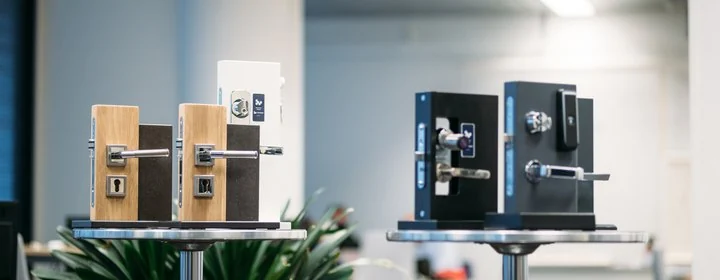
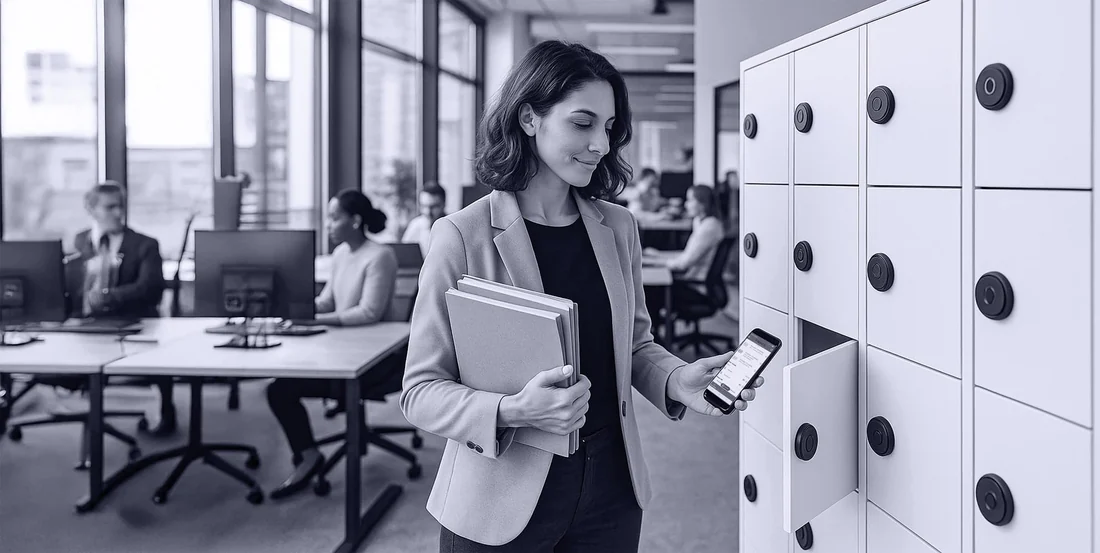
MACS-compatible electronic locks and handles A person opens a locker with a smartphone
  • IP67ingress protection of standalone locks
  • -40 à +60 °Caverage operating range
  • 18 to 36 monthsbattery life on replaceable batteries, depending on use

The CIDRON readers in our catalogue (VG3 range, NFC and Bluetooth) work with MACS. CIDRON VG2 readers already installed can also receive the mobile credential over NFC with an upgrade kit: contact us.

Compatible brands

Locks, cylinders, padlocks, lockers, relays and readers: find the manufacturers whose hardware works with MACS. To choose, open the comparison of standalone devices or the readers comparison. Contact us for part numbers, availability and prices.

Standalone cylinders, handles and locks

No wiring: the lock runs on batteries and decides to open on the spot.

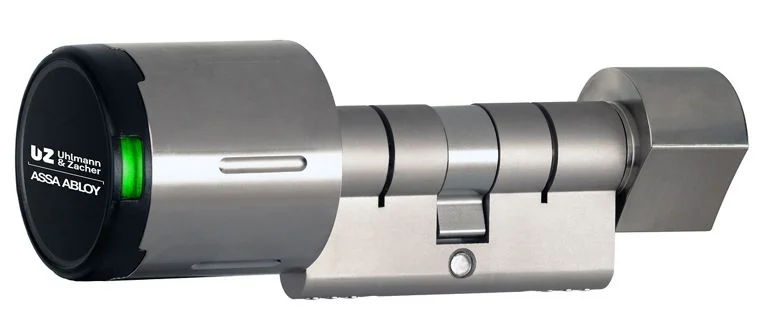
Electronic knob cylinders
Uhlmann & Zacher

Electronic knob cylinders

Modular cylinders to replace a mechanical cylinder without drilling or wiring, with variants for outdoor use, panic function and fire doors. Smartphone control over Bluetooth Low Energy.

  • EN 15684 certified, suitable for Euro-profile doors
  • Up to 80,000 openings with a single set of batteries
  • IP66 outdoor variant, PVD finishes in gold, bronze and black
  • Panic function: opening always possible from the inside
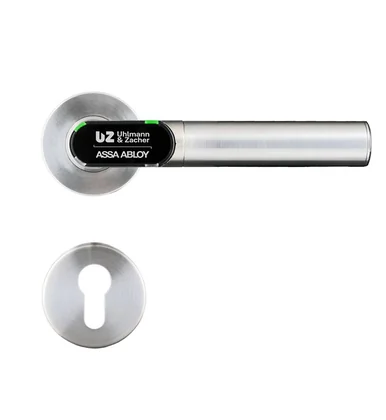
Electronic handles
Uhlmann & Zacher

Electronic handles

Handles whose electronics, mechanics, LED signalling and battery are entirely housed in the lever: no wiring. They fit almost any door, including fire doors and emergency exits.

  • Up to 230,000 openings with a single battery
  • Round or oval rose, three lever shapes
  • EN 16867 certified, fire doors (EN 1634) and emergency exits (EN 179)
  • IP66 outdoor variant, PVD finishes
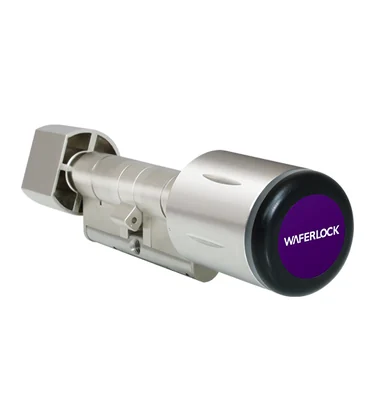
C700, electronic cylinder
Waferlock

C700, electronic cylinder

Electronic cylinder widely used in Europe, which replaces a mechanical cylinder in five minutes on Euro-profile doors, with no wires or drilling. Available in standard, half and double formats.

  • MIFARE® and NFC (Android), up to 1,000 users
  • IP67, -20 to 60 °C, anti-drill, anti-bump, anti-pull
  • CR2 battery: up to 3 years at 10 openings a day
  • EN 15684 certified, withstands a 30-minute fire test
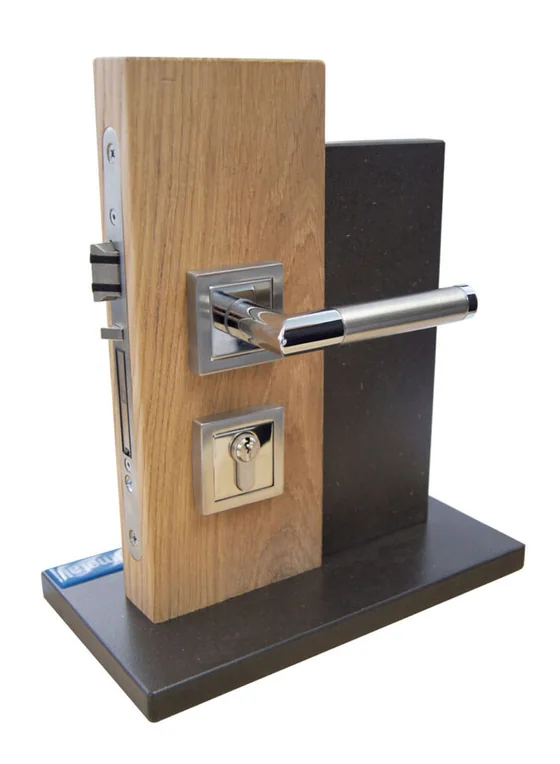
ÜLock Battery, mortise lock
Südmetall

ÜLock Battery, mortise lock

Wireless mortise lock whose RFID reader and transceiver fit in the rose: the handle model and colour remain your choice, with a mechanical cylinder for emergency opening. A Bluetooth module allows smartphone control.

  • Runs on 2 AAA batteries hidden in the housing, tool-free replacement
  • Quiet, low-wear bolt, 20 mm forced locking, automatic locking
  • Panic function, electrically disengageable outside handle, 9 mm spindle
  • Opening by RFID badge or smartphone, no wiring
  • Also available in an inductive version (ÜLock Inductive): charged through the strike plate, maintenance-free

Padlock

For gates, safes, outdoor cabinets and plant rooms.

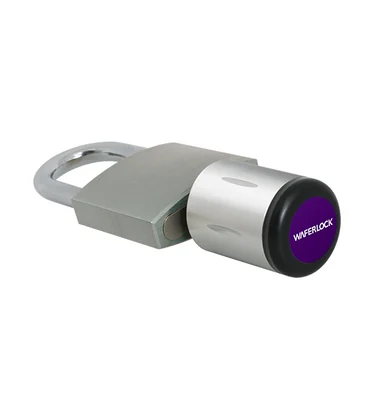
C200, electronic padlock
Waferlock

C202, electronic padlock

Electronic padlock that replaces a traditional padlock, with a corrosion-resistant stainless steel knob.

  • MIFARE® and NFC (Android), up to 1,000 users
  • IP67, -20 to 60 °C
  • CR2 battery: up to 3 years at 10 openings a day
  • Carbon steel and stainless steel knob for corrosion resistance

Connected lockers and cabinets

One lock per locker, administered from the cloud.

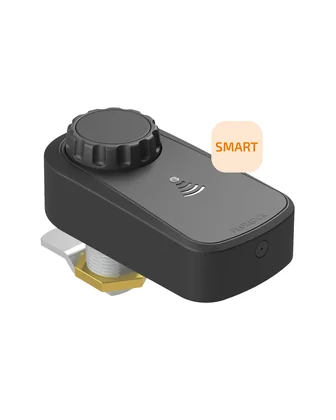
Smart Visible, rotary lock
Flexlock

Smart Visible, rotary lock

Battery-powered external lock for wooden or metal lockers and cabinets. It replaces a cylinder lock, and the green light shows that a locker is free.

  • Opening by card, badge or iPhone and Android phone
  • MIFARE® 13.56 MHz, 200 users
  • Horizontal or vertical mounting, door thickness up to 24 mm
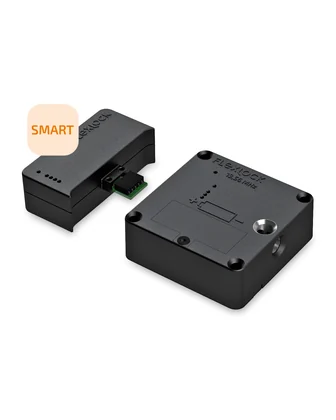
Smart Invisible, hidden lock
Flexlock

Smart Invisible, hidden lock

Lock fitted inside the furniture, for drawers, sliding doors and wooden fronts. Existing Invisible locks can be upgraded with a Bluetooth module.

  • MIFARE® 13.56 MHz, 200 users
  • Compatible with the Public external antenna for thick doors
  • Battery level and history visible in the administration console

Industrial relays

To control industrial equipment from a phone: gates, machines, lighting, ventilation.

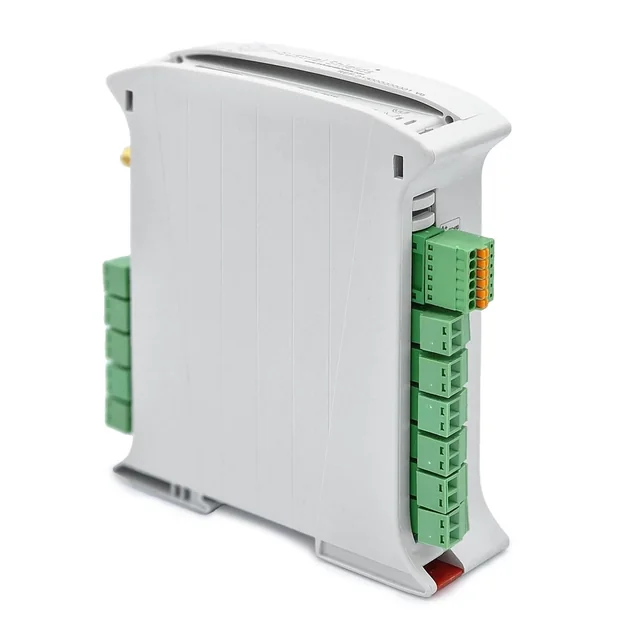
ESP32 PLC 14, compact relay controller
Industrial Shields

ESP32 PLC 14, compact relay controller

Compact DIN-rail controller based on a dual-core ESP32, programmable with the Arduino IDE. Its Bluetooth LE link and relay output make it a gateway between the mobile credential and equipment to be controlled: gate, machine, lighting, ventilation.

  • 14 inputs/outputs: 9 inputs (2 of them analogue) and 5 outputs including one 250 V AC relay
  • Ethernet, Wi-Fi, Bluetooth LE, RS-485, I2C
  • 12 to 24 V DC supply, DIN rail, IP20

Readers

The readers read badges as well as the mobile credential.

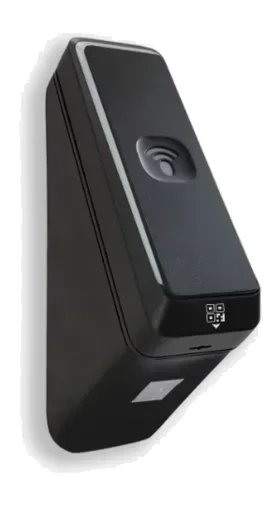
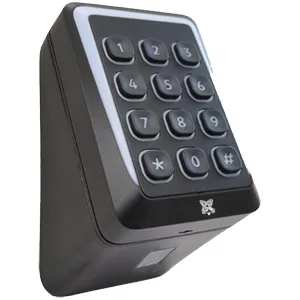
CIDRON VG3 and VG2 readers
CIDRON

CIDRON VG3 and VG2 readers

13.56 MHz readers with NFC and Bluetooth, Wiegand or OSDP output, with or without keypad and QR code module. VG2 readers already installed receive the mobile credential over NFC with an upgrade kit. All are in our catalogue.

  • VG3 range: NFC and Bluetooth, Combi, keypad and QR code versions
  • VG2 range: mobile credential over NFC with an upgrade kit
  • MIFARE®, DESFire®, NFC; Wiegand or OSDP
  • Black or white, standard and Slimline formats
7 versions available
  • KSR-K200509 VG3 Combi, BLE and QR code
  • KSR-K200452 VG3 Combi keypad, BLE
  • KSR-K200792 VG3 Standard keypad, BLE
  • KSR-K200484 VG3 Slimline keypad + QR code module
  • KSR-K200685 VG2 Standard (upgrade kit)
  • KSR-K200449 VG2 Slimline (upgrade kit)
  • KSR-K200447 VG2 Combi (upgrade kit)
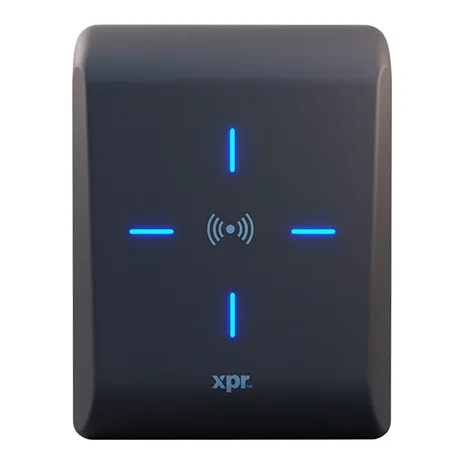
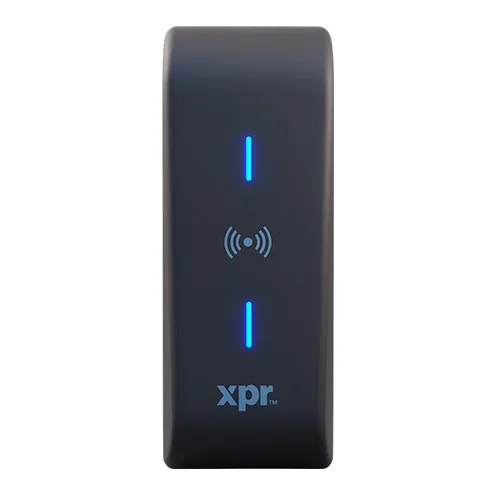
XPR Xpro readers, Bluetooth models
XPR

XPR Xpro readers, Bluetooth models

Standard readers, with backlit keypad, or narrow for mounting on a door frame, with mobile credential (Mobile ID) over Bluetooth. Wiegand or OSDP outputs on terminal block. All are in our catalogue.

  • Three models: standard, standard with keypad, narrow (mullion)
  • Wiegand, OSDP, RS-485 and SSCP
  • IP65, IK11, -30 to +70 °C, read range up to 9 cm
  • Full Xpro range: readers, keypads, QR code readers
3 versions available
  • XP-MFBT-WO Standard 13.56 MHz reader, Bluetooth Mobile ID
  • XP-K-MFBT-WO Standard reader with backlit keypad, Bluetooth
  • XPM-MFBT-WO Narrow surface-mount (mullion) reader, Bluetooth

A platform designed for installers

The back office follows your organisation: you administer your customers, their sites and their users from a single account.

Installer (VAR)Your account, with all your customers
Customer accountThe equipped company
LocationsThe physical sites and their door readers
Access systemsCredential configuration: 32 or 40 bits, reader groups
Users and mobile credentialsReusable with an end date, or single-issue for a visitor or a call-out

Day-to-day management

Bulk user import, expired credentials kept in the history, alerts before expiry, administrators and installers per customer account.

Traceability

Log of all credential transactions, across all customer accounts, and access history uploaded from the readers.

Guided commissioning

A step-by-step path: access system, location, readers, then credentials. Access is deployed on demand.

Management by tenants

In a shared building, each tenant manages its own people and their access, privately, while the owner keeps control of the building.

Corporate directories

Connection with Microsoft Entra ID and other OAuth 2.0 identity providers: users keep their usual account and groups stay synchronised.

API, SDK and white label

A REST API to create users, grant or withdraw rights and read events from your tools. The SDK adds door opening to your app, under your brand.

Each level of the chain has its role: distributor, installer and end customer each have their own functions, which keeps distribution simple and safe.

Varied uses, already in service

A few examples of deployments of the platform in Europe.

Campuses and schools

A large campus switched from cards to mobile: more than 2,000 doors and 16,000 users. A vocational school manages 13 sites with more than 9,000 users, with rights created automatically from the student information system. At the university, hazardous machines unlock only once safety training has been validated.

Buildings, offices and coworking

A coworking space replaced its old system and opens rooms by the hour. In a shared office, the customer books and pays online, then the access right arrives on their phone. A property company manages very different tenants with a single key.

Public facilities and shops

A gym stays open outside staffed hours: only a member with a booking gets in. A municipality opens its facilities to residents for the exact duration of the booking. A retail chain has equipped all its outlets with phone access.

In all these cases, the access right is tied to a booking, a contract or a registration: it starts and stops by itself.

Security and controlled costs

End-to-end encryption

  • Secure channel with RSA-2048 public key and TLS authentication
  • Credentials wrapped in an AES-128 encrypted token with SHA1/2
  • Patented two-way protocol, in real time or fully offline
  • Credential kept in the phone's secure element
  • Data encrypted in transit and at rest, GDPR compliance, regular audits
  • Proven secure elements assessed by formal audits

Less wiring, shorter lead times

Wired access control requires heavy door cabling, high infrastructure costs and long installation cycles. With MobileAccess, there is no wiring and deployment is on demand.

Order of magnitude given by the vendor: about €500 per door, compared with €2,500 on average for a wired installation.

A SELEPSO group solution

SELEPSO brings together three independent companies, SCOPUS, ELSYLOG and SCAP, around electronic security and secure identification, with ANSSI-certified solutions. MACS is distributed in France by the group.

Request a MACS demonstration   See the compatible readers